Amazon thrift selects the best products to save you money and time. We give our take and opinion about the products. You save time and get a great product.
Tip Calculator with Sales Tax and Split Bill Option (Free Tool)
Get link
Facebook
X
Pinterest
Email
Other Apps
Tip Calculator
This tip calculator used to split the bill. It's a great restaurant tip tool with sales tax.
Chef's Choice Diamond Hone Knife Sharpener 436-3 instructions Manual Stage 1 is for Santoku and other 15 degree angles then it follows Stage 3 to polish Stage 2 is for 20 degree angle knives then follows stage 3 for polish Stage 2 for serrated knives, no need for stage 3 for polish Use gentle swipes. Use 3 to 5 swipes for each stage and your basically done. Thank you for reading this if you are looking for the manual this is the written version. I hope you enjoyed it because I couldn't find it anywhere so I decided to create a written version on this blog. If you want to help me out please click on the sponsored ads possibly and disable adblocker temporary for my website. Thanks. Chef's Choice 4643 ProntoPro Angle Select Diamond Hone 3 Stage Manual Knife Sharpener
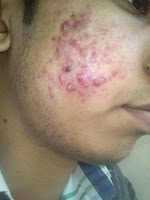
Natural Remedies For Acne Treatment I used to be suffering from really nasty acne and people called me pizza face. My pimples were huge with lots of puss. I decided to not show pictures of myself here because they are really grotesque and sick. Here you will find a remedy to that will help you fight your acne if your adult or child. Natural remedy for acne is stop eating sugar and eating healthy. Avoid foods with high fructose corn syrup, msg, processed foods and fried. Just eat clean food with with barely any seasoning. For example white meats, fish, and vegetables. Change your pillow cases often and use benzyl peroxide products to wash your face. In addition avoid touching your face at all cost. Touching your face will move oils and germs. Plus make your pores dirty. You do not want your pores dirty. This acne problem is embarrassing and very annoying. DRINK lots of water. I cannot emphasize that enough. Sleep your required 8 hours a day. Do not have late ni...
There are 3 requirements for making amiibos you can use on your Switch/Wii U/3DS. NFC writing capability - generally this means only Android phones with NFC, but apparently it is possible to buy an NFC reader/writer for PC but it is more complicated. NFC Ntag215 stickers - these are little stickers that have a specific type of nfc chip in them that you can buy for really cheap. I bought mine on Amazon because I didn't want to wait for 1 month to get them in from China. Mine came with 11 ntag215 stickers and got to my house in about 2 days Only NTAG215 works, 213,216 and other common stickers DO NOT WORK. The TagMo app for Android and .bin files of the amiibo you want to put on your sticker. I'll let you guys google that one, they aren't hard to find. Okay, so you got your stickers and phone with NFC writing, now what? On your Android device go to Settings > Security > Unknown Sources (turn on). This makes it so that you can install apps that ar...


Comments
Post a Comment